


Galleryit - Photo Vault, Album
4.64.55K Reviews
App Specs
- Version
- 1.4.2.0
- Updated On
- License
- Free
- Downloads
- 50,000,000+
- Developer
- AI Photo Team
- Categories
- Photography
- Platform
- Android
Screenshots
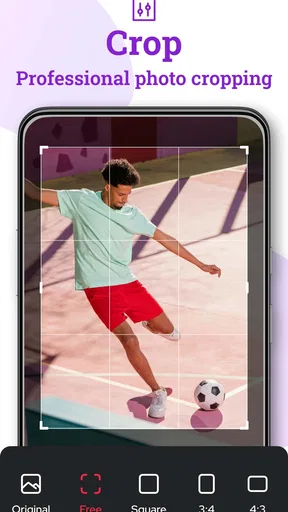
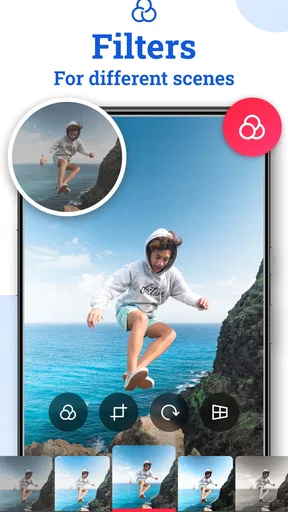
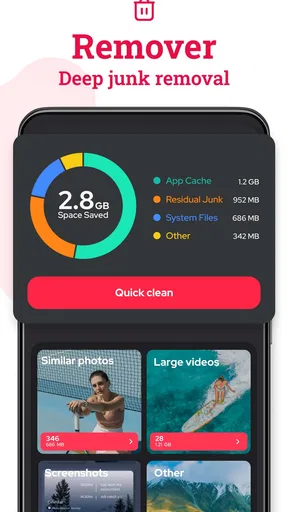
 Analysis by AppCompare
If you're anything like me, your phone is a treasure trove of memories, moments, and maybe a few embarrassing selfies that you wouldn't want just anyone to stumble upon. That's where Galleryit - Photo Vault, Album comes into play. This app promises to be your personal guard dog, keeping your photos safe and sound. But does it live up to the hype? Let's dive in and find out.
A practical routine for private photos
I find a photo vault most useful when it fits into a habit I already have, rather than becoming another place I forget to check. With Galleryit, that can mean moving a small group of pictures into an album after taking them, instead of trying to sort through a crowded camera roll weeks later. A clear album name helps, too: separating travel snapshots from documents or personal pictures makes it easier to find the right item without browsing everything in the vault.
For a realistic example, imagine taking pictures of a surprise gift while shopping. If you move them into a private album soon after, they are less likely to appear when you are casually showing someone your recent photos. I would still check that the transfer completed before deleting anything from another gallery. A vault is most reassuring when your routine includes confirming that important images are where you expect them to be.
Security First
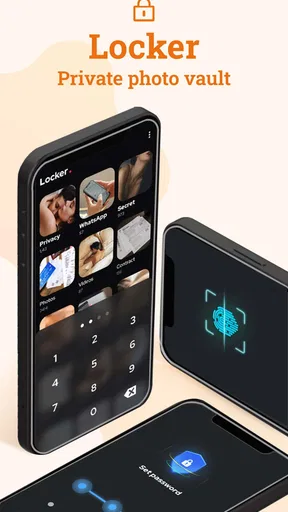
One of the first things I noticed about Galleryit is how seriously it takes security. Setting it up was a breeze, and I immediately appreciated the app's user-friendly interface. You get to set up a PIN, fingerprint, or face recognition – whatever floats your digital boat. Personally, I went with the fingerprint option. It’s quick, convenient, and feels like I'm in a spy movie every time I unlock it.
What's super cool is the decoy password feature. Basically, if someone pressures you to open the app, you can give them this fake password, and it'll lead them to a harmless gallery. Sneaky, right?
Check the access and backup habits
I would choose an unlock method based on how I actually use my phone. Biometrics make quick access comfortable, while a PIN can be useful when fingerprint or face recognition is inconvenient. Whatever you choose, it is worth remembering the fallback method and trying it once before relying on the vault for pictures you cannot easily replace. A security feature only helps if you can still get into your own collection.
The decoy option is best treated as a narrow privacy tool, not a substitute for careful device security. I would think through whether a harmless gallery would make sense in the situation where I might need it, and avoid putting anything sensitive into that decoy space. For particularly personal pictures, I would also keep the phone itself protected and be thoughtful about who can use it while unlocked.
Worth Reading Before You Choose

Flipboard Shows What News Apps Must Do Beyond the Feed

Switching to Android Auto Means Rethinking Your Driving Routine

Google Calendar Makes a Crowded Week Easier to Manage

Ludo King Makes the Most of the Minutes Between Plans

Baby Panda World Brings Quick Play to Modern Phones, but Its Game Library Feels Busy

ESPN’s Live Game View Makes Following Close Games Easier
Backup deserves its own check. A copy stored elsewhere can be helpful if a phone is lost or damaged, but it also means considering the security of that destination and whether the pictures are actually included. I would test the process with a nonessential image first, then confirm I can retrieve it. That small rehearsal is more useful than assuming that the word “backup” automatically means every photo is protected and recoverable.
User Experience and Features
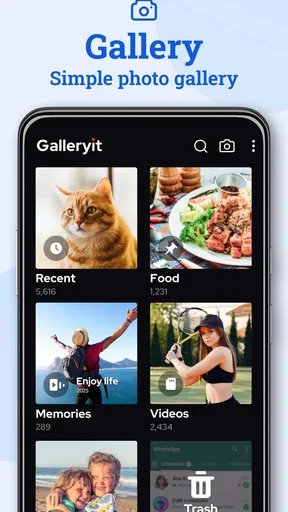
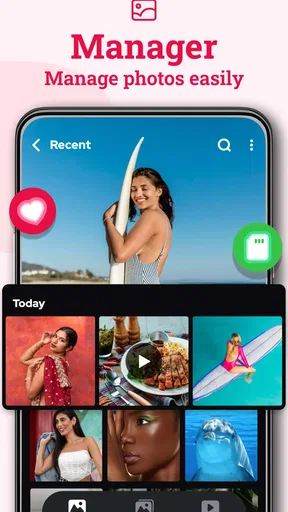
After securing my vault, I explored the app's features. Transferring my photos was simple; just a few taps and all my chosen shots were safely tucked away. I love how you can organize photos into different albums. It's like having a mini photo library on your phone. No more endless scrolling trying to find that one pic from last summer.
The interface is sleek and intuitive. You don't have to be a tech wizard to navigate it. I found myself easily toggling between albums and settings without any hiccups. Plus, the app is pretty lightweight, so it doesn't hog all your phone's resources.
One feature I found particularly useful is the cloud backup option. It gives that extra layer of safety knowing that if anything happens to my phone, my photos are still secure. Of course, make sure your cloud service is up to scratch in terms of security too!
Build a repeatable workflow
For a growing collection, I would keep the workflow simple: move related photos together, place them in a clearly named album, and occasionally open that album to make sure the images are still easy to locate. This is less glamorous than elaborate filing, but it avoids turning a private gallery into another cluttered camera roll. If you take lots of pictures in one burst, sorting them in batches can be less distracting than interrupting every moment to organize each shot.
There is also a practical trade-off to moving pictures out of the everyday gallery. It can reduce the chance of private images appearing during casual browsing, but it adds a step when you want to find or share one later. I would keep frequently shared pictures in a regular album and reserve the vault for images that genuinely benefit from extra privacy. That distinction makes the app useful without making every photo harder to reach.
Privacy Meets Convenience
Another aspect that impressed me was how well Galleryit balances privacy with convenience. You can share photos directly from the app, which is perfect for those moments when you want to show off your latest snaps without compromising security. It's a small detail, but it makes the app so much more practical for everyday use.
The app also offers an in-built camera. Taking photos directly saves them straight into the vault. I tried this out and loved the peace of mind it gave me. No more worrying about photos lingering in my main gallery before I get around to transferring them.
Where it fits among gallery choices
Compared with a standard phone gallery, a dedicated vault is useful when privacy and separation matter more than seeing every image in one familiar timeline. A regular gallery is usually the easier choice for quick edits, broad browsing, and sharing a large batch of pictures. Galleryit makes more sense for a smaller, deliberately selected collection that I want kept apart from that everyday flow.
The built-in camera is especially handy when I already know a picture belongs in the vault, since it skips the later sorting step. For an image that needs immediate editing or a complicated album workflow, I would still use the photo tools I normally rely on and then decide whether it belongs in private storage. I would not treat the vault as a full replacement for a general-purpose photo editor or the phone’s main gallery.
Galleryit is a free photography app from AI Photo Team, with optional in-app purchases ranging from $3.99 to $24.99 per item. It is rated for Everyone, and its current version is 1.4.0.0, with Android 8.0 as the minimum operating system. Its 4.6 average from around 300,000 ratings and over 50 million installs suggest that many people use it, but I would still judge it by whether its privacy workflow suits my own habits.
The Verdict
So, is Galleryit - Photo Vault, Album worth downloading? For me, it absolutely is. It combines effective security with a user-friendly design, making it a top choice for anyone keen on keeping their photos private. Whether you're hiding surprise birthday party photos or just want to keep your personal moments personal, this app nails it.
Of course, like any app, it's not perfect. A few more customization options for the interface would be nice, and occasionally the app takes a second longer to open than I'd like. But these are small potatoes compared to the peace of mind it offers.
All in all, Galleryit strikes a great balance between functionality and security. If you're in the market for a photo vault that does what it says on the tin, give it a whirl. Your secret selfies will be safe with it!
Who should make room for it
I would recommend it to someone who wants a straightforward place for selected private photos, appreciates album-based organization, and is willing to build a small habit around moving or capturing images. It can also suit people who sometimes hand their phone to a friend or family member and want personal pictures kept out of the usual gallery browsing. The decoy password may be useful in a specific privacy situation, while the direct camera option suits pictures that should go straight into the vault.
I would skip it if I needed a powerful editing suite, a highly customized photo-management system, or one seamless library for every image. Someone who frequently searches, edits, and shares across a very large collection may be better served by a full-featured gallery or photo editor as their main tool, using a vault only for a separate subset. And if I were storing irreplaceable photos, I would not rely on a single app or device without checking that my backup routine works.
My final use-it-well advice
The strongest reason to keep Galleryit installed is not that it changes how I take every picture; it gives private images a more intentional place. I would start with a few non-sensitive photos, test the unlock and sharing flow, and learn how transfers behave before trusting it with anything important. Then I would settle on a simple rule for what belongs in the vault and review the albums occasionally. That makes the app feel like a useful privacy layer rather than a second, confusing camera roll.
For me, it earns a place when convenience and discretion need to coexist. Its strengths are easy access, private albums, and ways to avoid leaving certain pictures in the main gallery, while the extra sorting step and modest interface customization are real trade-offs. If that balance matches what you want, Galleryit is worth trying; if your priority is editing depth or managing everything in one place, I would choose a different primary photo app.
Pros
- User-friendly interface for easy navigation.
- Strong encryption ensures photo security.
- Unlimited album creation for organization.
- Quick import/export of media files.
- Efficient photo search with tags.
Cons
- Limited free storage capacity.
- No cloud backup option available.
- Occasional ads in free version.
- Requires internet for some features.
- No facial recognition tagging.
FAQs for Galleryit - Photo Vault, Album
What is Galleryit - Photo Vault, Album, and how does it work?
Galleryit - Photo Vault, Album is a secure application designed to protect and organize your photos and videos. It allows users to create hidden albums with password protection, ensuring privacy and security. The app provides an intuitive interface for easy navigation, so you can manage your media efficiently. It's perfect for anyone looking to secure personal or sensitive images.
Is Galleryit - Photo Vault, Album free to use, or are there in-app purchases?
The app is free to download and use, offering essential features without cost. However, it includes in-app purchases for premium features like additional storage, advanced security options, and ad-free experience. Users can choose to upgrade for a more enhanced experience, but the basic functionality remains accessible at no charge.
How secure is my data with Galleryit - Photo Vault, Album?
Galleryit employs advanced encryption methods to ensure your data remains private and secure. The app uses a combination of password protection and encryption technologies to safeguard your photos and videos. Additionally, it offers features such as fingerprint authentication and break-in alerts, providing peace of mind about the security of your media.
Can I recover my photos if I forget the password?
Yes, Galleryit provides a password recovery option to help you regain access to your photos. During the setup, you can configure a recovery email or security questions. In case you forget your password, these options will allow you to reset it and retrieve your stored media without hassle.
Does Galleryit - Photo Vault, Album support multiple file formats?
Yes, Galleryit supports a wide range of file formats for both photos and videos. It handles popular image formats like JPEG, PNG, and GIF, as well as video formats such as MP4 and AVI. This flexibility ensures that you can store and view various types of media files without compatibility issues.


